


Photo Editor by BeFunky
3.721.71K Reviews
App Specs
- Version
- 7.1.35
- Updated On
- License
- Free
- Downloads
- 10,000,000+
- Developer
- BeFunky
- Categories
- Photography
- Platform
- Android
Screenshots
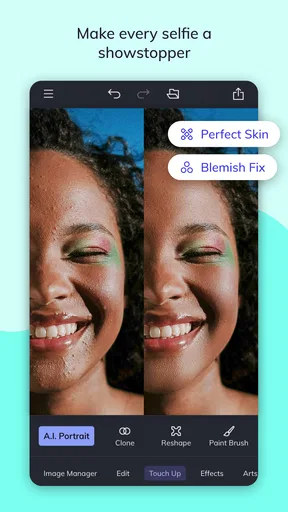
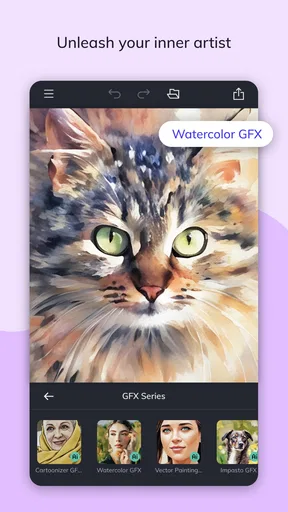
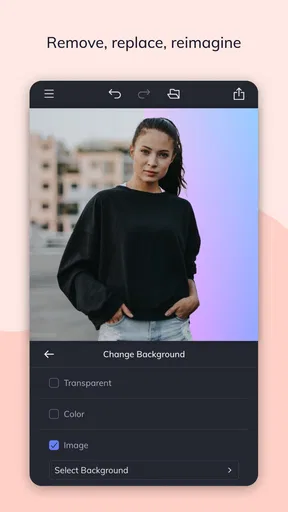
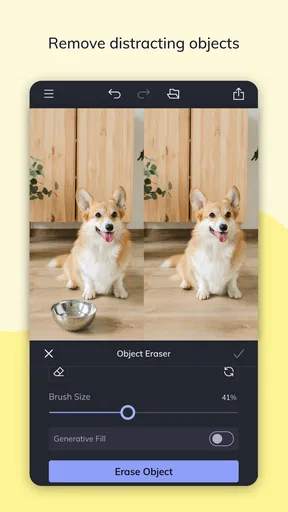
 Analysis by AppCompare
I like Photo Editor by BeFunky most as a practical all-rounder: it brings photo touch-ups, collage layouts, and simple graphic-making tools together in one place. That combination is useful when I want to turn an ordinary phone photo into something finished without switching between several apps. It is not the most specialized editor I would choose for every job, but its approachable feel makes it a sensible starting point for casual creative work.
A useful mix for quick creative projects
The strongest reason I’d recommend it is the way its editing and design tools fit together. I can make a basic adjustment, try a more expressive effect, then move into a collage or add text and graphics. That flow suits everyday tasks such as preparing a birthday post, arranging photos from a day out, or making a simple announcement for a club. BeFunky is the developer, and the app sits in the photography category, though its collage and graphic tools give it a broader role than a straightforward image-adjustment app.
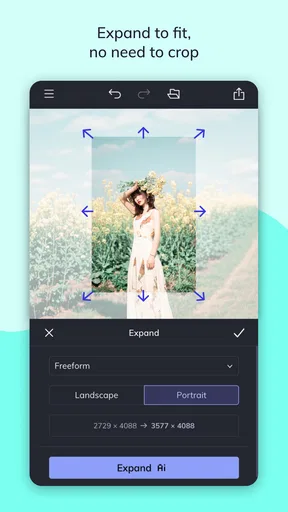
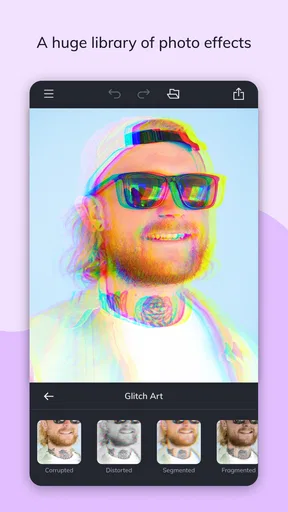
Its editing options cover familiar needs such as cropping and rotating, while effects offer room to change the mood of a picture. I find it helpful to treat those effects as finishing choices rather than automatic improvements: a filter that works on a bright outdoor shot may make an indoor photo look muddy. For a more reliable result, I’d crop first, make restrained tonal changes, and only then test a stronger style. That order also makes it easier to notice whether an effect is helping the image or simply drawing attention to itself.
The one-tap Enhance option is convenient when a photo looks a little flat and I want a quick adjustment to brightness, contrast, and saturation. It can save time on an image that only needs a nudge, but I would still inspect the result before keeping it. A boost that makes a landscape feel lively can push skin tones or already-bright colors too far. My practical tip is to compare the edited version with the original and undo the change if the improvement is not clear; the undo control makes that kind of experimentation less risky.
Collages work best when planned around the photos
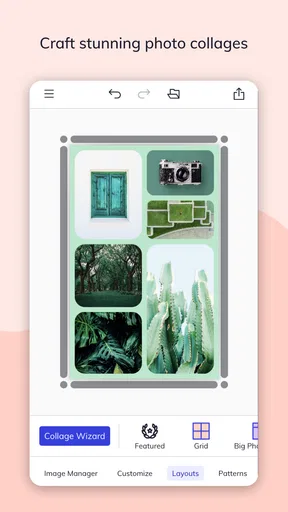
The collage maker is handy when several images belong together but a plain album feels too passive. For a weekend recap, I might choose a small set of pictures with different roles—a wide scene, a close-up, and a candid moment—then pick a layout that gives the main image room to breathe. Templates make it easy to get started, but the result can feel crowded if every cell contains a similarly busy photo. Choosing images with varied framing is a small step that often makes the finished collage clearer.
I’d also use the collage tools for practical, personal projects rather than expecting them to replace a full desktop design workflow. A simple grid can work well for a social post or a family update, while a polished multi-page campaign needs more control over alignment, reusable brand elements, and fine typography. The app’s text, graphics, and overlays let me add a caption or watermark, but restraint matters: one clear title usually reads better than several decorative elements competing with the photos.
Where the creative freedom has limits
There is plenty to try, and that is both a strength and a source of friction. A large choice of effects, fonts, and clipart can make it tempting to keep decorating after the image is already doing its job. I get better results when I decide what the picture needs before browsing: a crop, a brighter subject, or a short label. That keeps the editing session focused and helps avoid a collage or graphic that looks more like a collection of tools than a considered design.
Worth Reading Before You Choose

EA SPORTS FC Mobile 26 Is a Bigger Football Game, but It Takes Time

Flipboard Shows What News Apps Must Do Beyond the Feed

Switching to Android Auto Means Rethinking Your Driving Routine

Google Calendar Makes a Crowded Week Easier to Manage

Ludo King Makes the Most of the Minutes Between Plans

Baby Panda World Brings Quick Play to Modern Phones, but Its Game Library Feels Busy
Another trade-off is the distinction between the free experience and paid extras. The app is free to download, with in-app purchases ranging from $9.99 to $83.88 per item, so I would explore the tools I actually need before paying for anything. The free version may be enough for occasional edits and straightforward collages, but someone who expects every option to be included should check what is available in the app before building a routine around a particular effect or asset.
Who I’d recommend it to
This is a good fit for someone who wants a friendly mobile editor for personal photos and lightweight visual projects, especially if they like making collages as well as touching up single images. It can also suit a small community group or a casual seller who needs an occasional image with a short label, provided the design requirements stay simple. The app has an Everyone content rating, a 3.5 average from around 213,000 ratings, and over 10 million installs. Those figures suggest a widely used tool with a mixed reception, so I’d treat it as an accessible option to try rather than assume it will satisfy every editing style.
I would steer a photographer who needs precise, repeatable color work toward a more specialized editor. Likewise, anyone producing a consistent stream of branded graphics may prefer a design-focused alternative with tighter layout controls and a more deliberate asset workflow. BeFunky’s appeal is convenience across several approachable tasks, not maximum control in one narrow discipline. If your usual need is just trimming a photo or correcting exposure, a built-in phone editor may be quicker; if you want to combine editing, effects, and collage-making in one session, this app has a clearer advantage.
Getting Started with BeFunky
First things first, downloading Photo Editor by BeFunky is a breeze. Available on both Android and iOS, it’s one of those apps that doesn’t demand much space, which is always a win in my books. Once installed, you’re greeted with a user-friendly interface that’s intuitive even for beginners. Honestly, you don’t need to be a tech wizard to navigate through its features.
Features Galore
Now, let’s talk features because this app is packed with them. You’ve got your basic editing tools like crop, rotate, and resize, but that’s just scratching the surface. What really caught my eye were the advanced features. The app offers a plethora of filters and effects that can turn a mundane photo into a masterpiece.
One of my personal favorites is the "Enhance" tool. With just a tap, it adjusts the brightness, contrast, and saturation to make your image pop. And if you’re into creating artistic photos, the "Cartoonizer" tool is pure magic. Seriously, who knew turning photos into cartoons could be this fun?
Collage Maker & Templates
If you’re a fan of collages, BeFunky doesn’t disappoint. The app provides a variety of templates that are perfect for social media posts or personal projects. Drag and drop your photos, and voila! You’ve got a stunning collage ready to share. It’s like scrapbooking, but without the glue and paper cuts.
Customization and Creativity
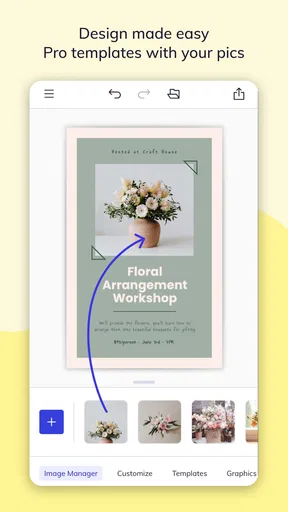
Another aspect where BeFunky shines is customization. The app allows you to add text, graphics, and overlays to your images. Whether it’s adding a quirky caption or a watermark, the possibilities are endless. Plus, with a vast library of fonts and clipart, your creativity knows no bounds.
And hey, if you’re ever stuck or need inspiration, there’s a "Featured" section that showcases what other users are creating. It’s a nice touch that adds a sense of community to the app.
Ease of Use and Accessibility
For those who might be worried about the learning curve, rest easy. BeFunky’s interface is straightforward, with all tools and features clearly labeled. There’s also a handy undo button for those "oops" moments. The app is responsive and runs smoothly, which is crucial when you’re making detailed edits.
And let’s not forget about accessibility. BeFunky doesn’t require an internet connection to edit photos, making it perfect for editing on the go. Whether you’re on a plane or camping in the woods, your editing capabilities are always at your fingertips.
Choosing the right workflow
For a quick everyday edit, I’d start with the crop and basic adjustments, then decide whether the photo needs a filter or a more playful treatment. If I’m making a collage, I’d choose the images first and then select a template, rather than letting the template dictate which photos to use. That simple order helps preserve the story of the pictures and keeps the layout from feeling like a collection of unrelated snapshots.
For a small event announcement, for example, I might combine one clear photo with a short heading and a restrained graphic element. Before sharing, I’d check that the text remains easy to read against the image and that the photo still carries the main message. This is where the app’s mix of editing and design tools is most useful: I can prepare the picture and add context in the same creative session without turning a modest task into a complicated project.
What to expect from an everyday editor
BeFunky’s broad toolset is most valuable when I want options without learning a specialist workflow. The flip side is that people who need precise adjustments or a strict visual system may find the experience less focused than a dedicated photo editor or layout app. I would not choose it as my only tool for demanding professional work, but for personal images, playful effects, and occasional graphics, its range makes sense. The current version is 7.1.31, and the app is free to start using, with paid items available for people who want additional options.
Final Thoughts
In a world where visual content is king, having a reliable photo editing app is essential, and BeFunky delivers on all fronts. It’s packed with features that cater to both novices and pros, ensuring that everyone can create stunning images with ease.
While there are in-app purchases for additional features, the free version is robust enough for most editing needs. If you’re looking for an app that balances functionality with fun, BeFunky is definitely worth a try. So next time you have a photo that needs a little magic, you know where to turn.
My recommendation
I’d give it a try if you want an approachable place to edit a photo, experiment with an effect, and put several images into a collage without changing apps. I’d skip it if your priority is highly controlled image processing or a polished, repeatable graphic-design system. For casual use, the best approach is to start with the free tools, keep effects purposeful, and only consider a purchase if a specific extra solves a real need. That makes BeFunky an enjoyable creative companion rather than a tool you have to use for every image.
Pros
- User-friendly interface for quick edits.
- Extensive library of filters and effects.
- Supports high-resolution image exports.
- Robust collage maker with templates.
- Regular updates with new features.
Cons
- Limited features in free version.
- Occasional in-app ad interruptions.
- No RAW file editing support.
- Requires internet for some features.
- Limited cloud storage integration.
FAQs for Photo Editor by BeFunky
What features does Photo Editor by BeFunky offer?
Photo Editor by BeFunky offers a wide range of features including basic editing tools like crop, rotate, and resize, as well as advanced options like filters, effects, and text overlays. It also includes a collage maker and an array of design templates, providing users with versatile options for enhancing and customizing their photos.
Is Photo Editor by BeFunky free to use?
The app offers a free version with basic features. However, to access the full range of tools and features, including premium effects and advanced editing options, users can opt for a subscription. The subscription offers greater flexibility and creative options for those who need more robust editing capabilities.
How user-friendly is Photo Editor by BeFunky for beginners?
Photo Editor by BeFunky is designed to be user-friendly, with an intuitive interface that caters to both beginners and experienced users. The app provides easy-to-follow tutorials and tips, making it simple for newcomers to navigate and utilize its features effectively. The layout is straightforward, ensuring a smooth editing experience.
Can Photo Editor by BeFunky be used on both Android and iOS devices?
Yes, Photo Editor by BeFunky is available for both Android and iOS platforms. This cross-platform availability ensures that users can enjoy the app’s features on a wide range of devices, whether they own a smartphone or a tablet, providing flexibility and convenience for all users.
Does Photo Editor by BeFunky require an internet connection?
While many features of Photo Editor by BeFunky can be used offline, an internet connection is required for certain functionality such as downloading new effects, accessing cloud storage, and updating the app. For full functionality and the latest updates, it is recommended to occasionally connect to the internet.


